FxFactory in  DaVinci Resolve

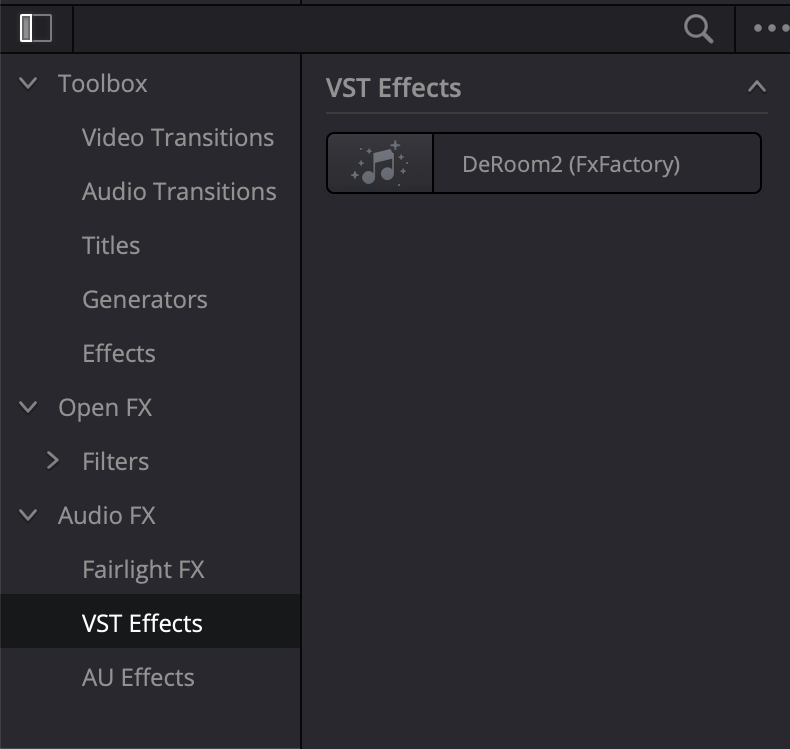
FxFactory includes audio plugins for DaVinci Resolve in its catalog. If you have recently installed a product that supports DaVinci Resolve, please look for the newly-installed plugins under Audio FX. You may find our plugins under the VST Effects category:
In some cases, audio plugins included with a product may be listed under the AU Effects category instead:
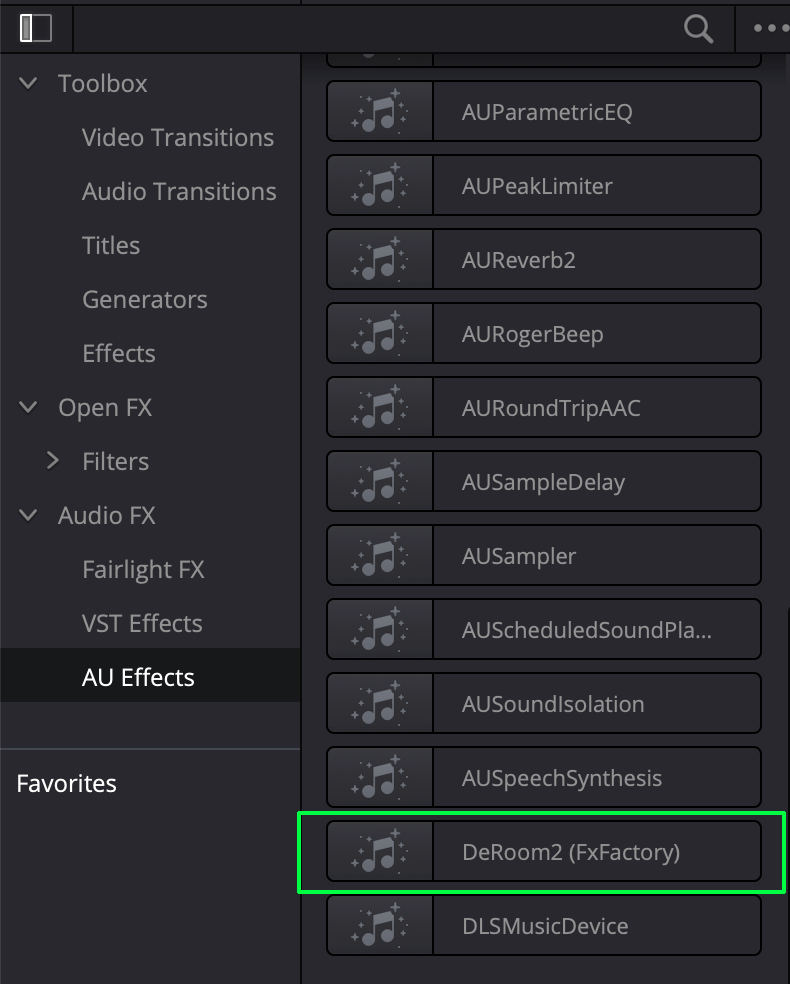
A product may also list the same plugin under both locations. Features and functionality are largely equivalent between the VST and Audio Unit variants of the same effect.
If you are unable to find a newly installed product in DaVinci Resolve, please open the Preferences window and make sure the plugins are enabled:
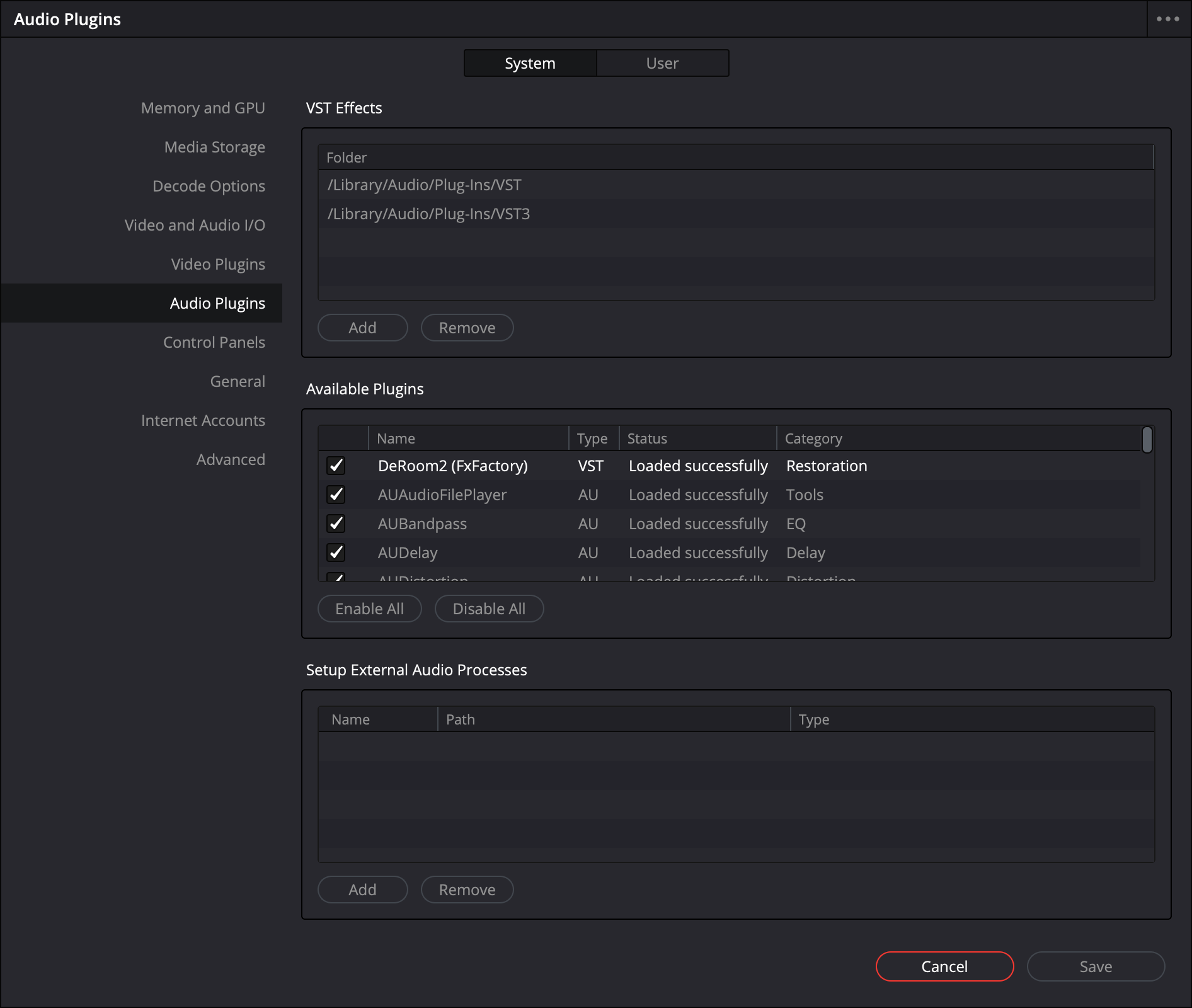
When making changes to your audio plugins configuration, it may be necessary to restart DaVinci Resolve in order to allow any given product to load during application launch.
Ready to try our products in  DaVinci Resolve?
