

Continuously flowing split screens

Works in  Final Cut Pro on
Apple and Intel processors
Final Cut Pro on
Apple and Intel processors


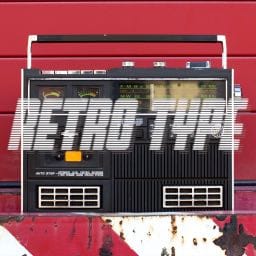
RetroType for Final Cut Pro X is an easy-to-use, complete, robust package of Retro titles from Cineflare. This package comes with 100 titles and 100 backgrounds that you can mix and match for any of your project needs. Each title also comes with the ability to auto-track objects in videos.
Retro Type titles include these categories: New Wave, Retro, and Vintage. Each category comes with an exhaustive number of titles for any of your retro needs. The backgrounds can be used as stand alone backgrounds, combine them with any of Retro Type's titles, place them over footage and allow the footage to show through, or make a combination of all.
Built-in Object Tracking
Place a title over your footage in the timeline, place the tracker area over the object you want to track, hit the tracker button, then position the title where you want. You can make any title follow any object in your footage.
Easy to Use
Just drag and drop a title onto your timeline. You can reposition the title by just dragging the title around on your timeline, us the positioning parameters in the published parameter area, or allow the tracker to track something on your timeline and create automatic keyframes.
How do I install
RetroType?

RetroType is available via FxFactory, our app store for visual effects, audio plugins and apps:
Click the button below to download and install RetroType through FxFactory:
More visual effect plugins by CineFlare


A creative way to show keyboard strokes

Animated titles with simple controls and configuration

Digital lenses and prisms

Double exposure layouts for videos and images

Double exposure tools for social media ads, music videos, etc

Highlight content with simple, elegant designs

Quick-moving title layer transitions

Shape-shifting dynamic transitions

Pre-animated titles with a quick, hard-hitting feel

Ready-to-go and composable splitscreen templates

Backgrounds, openers and more for YouTube Creators

Modern toolkit for everyday editors

Automatically resizing titles

Stackable, animated titles inspired by feature films and TV shows

100+ creative transitions

Restoration and color retouching

Ease in/out layer transitions

Fading layer transitions

Film strip effects, transitions and titles

Lens movements, whip pans and bumps

Highlight text by word or by line

Fix horizon lines that change with your camera

Kinetic typography

Lens distortions and light leaks

Animate any object on your timeline

3D animations with camera-like perspective and motion

Show content through realistic tablet and computer screens

Modular callout elements

Stack and combine layer transitions

Static and depth tunnel transitions

Particle emitters with automatic tracking

Authentic camera viewfinders and more

Use the Apple Color Picker to set the white balance temperature
Version History
The latest version of RetroType is 1.0.2. RetroType can only be installed via FxFactory.
Should you need to install any prior version of RetroType, please contact tech support.
RetroType 1.0.2
Requires FxFactory 7.2.4 or later, macOS 10.14.6 or later
RetroType 1.0.1
RetroType 1.0
Please note that this product will not work unless FxFactory is installed on the system.